Short answer: an AI dashboard is a screen that pulls your business numbers, such as sales, bookings, leads and marketing results, into one place and uses AI to explain them in plain English. It can write a weekly summary, flag unusual changes and answer questions like "why were bookings down last week?", so you spend less time building reports and more time acting on them.
How is an AI dashboard different from a normal dashboard?
| Feature | Normal dashboard | AI dashboard |
|---|---|---|
| Shows charts and numbers | Yes | Yes |
| Pulls data from several tools | Sometimes | Yes, usually |
| Explains what changed | No, you work it out | Writes a plain-English summary |
| Flags unusual changes | Only with set rules | Spots unusual patterns and alerts you |
| Answers questions | No | Lets you ask questions in plain language |
The AI does not replace your judgment. It saves time on finding and explaining the numbers, and a person decides what to do.
What can a small business track on an AI dashboard?
- Sales and revenue, by service, product or location.
- Leads and inquiries, by source, and how quickly they get a reply.
- Bookings and no-shows.
- Marketing results, such as website visits, calls and messages from ads and social media.
- Customer service, such as common questions and review ratings.
- Cash flow signals, such as overdue invoices.
- Stock levels, such as items running low. See AI inventory management.
Start with five to seven numbers that drive your decisions. A dashboard with too many charts gets ignored.
How do you set up an AI dashboard?
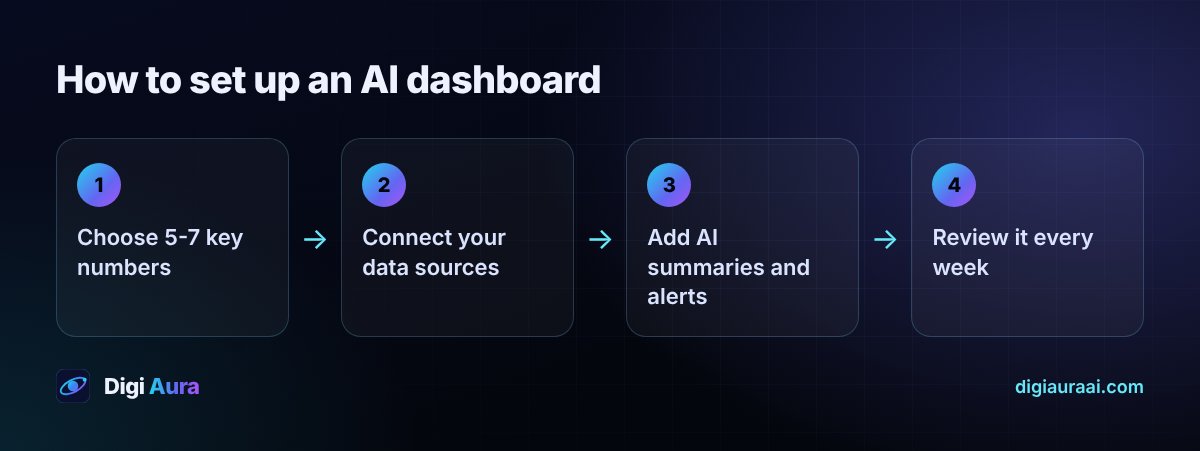
- Choose your key numbers and write down why each one matters.
- List where the data lives: your booking system, CRM, accounting software, website analytics or spreadsheets.
- Connect the data using built-in integrations or an automation platform.
- Add AI summaries and alerts, for example a Monday email that explains last week in five bullet points.
- Review it weekly and remove anything nobody uses.
Many businesses first need to automate how data is collected. Our guide to AI automation ideas for small businesses includes several ways to do that.
What should you watch out for?
- Messy data. If numbers are entered differently in each tool, the dashboard will be confusing. Tidy the inputs first.
- Privacy. Decide which staff can see which numbers, and keep customer data in approved tools.
- Trusting summaries blindly. AI explanations can be wrong. Check surprising claims against the underlying numbers.
- Too many alerts. Set alerts only for changes that need action.
Do you need an AI dashboard?
If you spend hours each week copying numbers into spreadsheets, or you only find problems at the end of the month, a dashboard is likely worth it. Our AI dashboard development service builds dashboards that connect to the tools you already use, and our AI consulting services can help you decide which numbers matter. For the bigger picture, see our AI business strategy guide.
Frequently asked questions
What is an AI dashboard?
A dashboard that collects your business data in one place and uses AI to summarize it, flag unusual changes and answer questions in plain language.
Can a small business afford an AI dashboard?
Many reporting tools now include AI features on affordable plans, and a simple dashboard built on tools you already use can be a modest project. Costs depend on how many data sources you connect.
What data do I need for an AI dashboard?
Start with what you already collect: sales, bookings, leads, website analytics and invoices. The key is that the data is entered consistently.
Is my data safe in an AI dashboard?
It depends on the tools you choose. Check where data is stored, who can access it and whether the provider uses it to train AI models.
How often should I check my dashboard?
A weekly review works for most small businesses, with alerts for anything urgent in between.
Want your numbers in one clear place? Book an AI consultation to discuss an AI dashboard for your business.